Reference
Complete Menu Reference
Every menu item on the UV-K5 with rfsplatter firmware, organized by category.
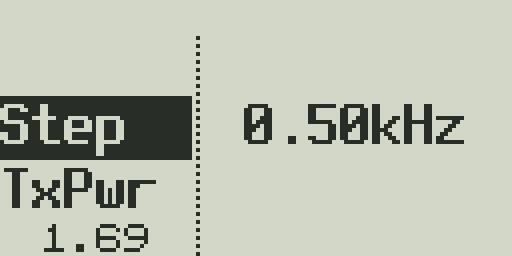

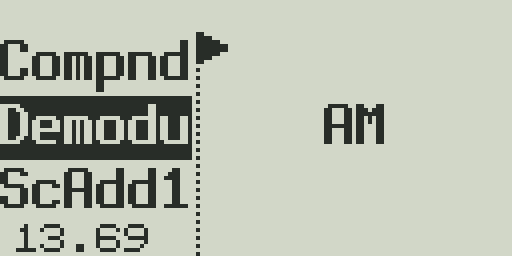
Accessing the menu
- Press
MENUto open the menu. Use up/down arrows to scroll. - Press
MENUagain to enter/confirm a selection. - Press
EXITto go back or close the menu. - You can also type a menu item number directly (e.g.,
1 2jumps to menu item 12).
Hidden menu items
Several advanced and calibration items are hidden from the normal menu. To access them, power off the radio, then hold PTT + Side Key 1 while powering on. The hidden menu includes:
- F Lock — TX frequency lock / band restriction presets
- Tx_VHF / Tx_UHF / Tx_250 / Tx_350 — Enable/disable TX on each band
- FrCali — Frequency calibration offset
- BatCal — Battery voltage calibration
- Reset — Factory reset (VFO or ALL)
Channel Settings
| Menu Item | What it does | Options | Default | Notes |
|---|---|---|---|---|
| ChName | Name the currently displayed channel | Up to 10 alphanumeric characters | (blank) | Use up/down to cycle characters, left/right to move cursor, MENU to save. |
| ChSave | Save the current VFO settings into a memory channel slot | Channel 0–199 | — | Writes frequency, modulation, power, tones, and scan lists to the chosen channel. |
| ChDelete / MDelCh | Delete a stored memory channel | Channel 0–199 | — | Deletes the channel name, frequency, and all settings from the selected slot. |
| DispCh | Channel display mode — what to show on VFO line 1 when in channel mode | Freq / Ch Num / Name / Name+Freq | Freq | Name+Freq shows channel name on line 1 and frequency on line 2. |
| ScAdd1 | Add or remove current channel/VFO from Scan List 1 | OFF / ON | OFF | Scan List 1 is used for selective channel scanning. |
| ScAdd2 | Add or remove current channel/VFO from Scan List 2 | OFF / ON | OFF | Scan List 2 is used for selective channel scanning. |
Scan Settings
| Menu Item | What it does | Options | Default | Notes |
|---|---|---|---|---|
| ScnRev | Scan resume mode — what happens when the scanner finds an active signal | Timeout / Carrier / Stop | Timeout | Timeout: resume after fixed time. Carrier: resume after signal drops. Stop: stay on active signal. |
| SList1 | Priority channel for Scan List 1 during scanning | Channel 0–199 / OFF | OFF | Scanner checks this channel first before continuing the scan. |
| SList2 | Priority channel for Scan List 2 during scanning | Channel 0–199 / OFF | OFF | Scanner checks this channel first before continuing the scan. |
| SListT | Scan list type selection — which list to use when scanning | List1 / List2 / All | All | Determines which scan list is active during a scan initiated with * key. |
Key Programming
| Menu Item | What it does | Options | Default | Notes |
|---|---|---|---|---|
| KeyM | Assign a function to MENU long-press | See programmable functions list | Monitor | Long-pressing MENU activates the assigned function. |
| Key1 | Assign a function to Side Key 1 (upper side key) short press | See programmable functions list | Monitor | — |
| Key1L | Assign a function to Side Key 1 long press | See programmable functions list | Flashlight | — |
| Key2 | Assign a function to Side Key 2 (lower side key) short press | See programmable functions list | Spectrum | — |
| Key2L | Assign a function to Side Key 2 long press | See programmable functions list | Scan | — |
Display Settings
| Menu Item | What it does | Options | Default | Notes |
|---|---|---|---|---|
| BLTime | Backlight timeout duration | Off / 5s / 10s / 20s / 1min / 2min / Always On | 10s | Always On keeps backlight lit continuously (increases battery drain). |
| BLMin | Minimum (dim) backlight level when timed out | 0–9 | 0 | Set to 0 for fully off when timed out. Higher values keep a dim glow. |
| BLMax | Maximum backlight brightness when active | 1–9 | 9 | — |
| BLRxTx | Backlight activation trigger | Off / Rx / Tx / Both | Both | Both: backlight turns on when receiving or transmitting. |
| SWait | Squelch tail time — how long display stays active after signal drops | 0–10 (100ms steps) | 3 | — |
| BatTxt | Battery indicator display format | None / Volts / Percent | Volts | Shown in status bar. None uses only the bar graph. |
Audio Settings
| Menu Item | What it does | Options | Default | Notes |
|---|---|---|---|---|
| BeepEn | Keypad/action beep tones | OFF / ON | ON | Disabling saves a small amount of battery. |
| Roger | Roger beep — tone played at end of transmission | Off / Roger / MDC | Off | Roger: simple beep. MDC: MDC1200-style burst. Heard by the other party. |
| VOX | Voice-operated transmit — activates PTT automatically when microphone audio is detected | OFF / 1–9 | OFF | Higher numbers = less sensitive (requires louder audio). See Transmission Guide. |
| VoxDly | VOX tail delay — how long TX stays active after voice drops | 0.5s / 1s / 2s | 0.5s | Prevents rapid PTT cycling when speaking in bursts. |
| Compnd | Compander — audio compressor/expander for improved intelligibility on narrow channels | OFF / TX / RX / Both | OFF | Both ends must use compatible compander settings. Per-channel setting. |
TX Settings
| Menu Item | What it does | Options | Default | Notes |
|---|---|---|---|---|
| TxPwr | Transmit power level | LOW / MID / HIGH | HIGH | Can also be toggled quickly with F+6. LOW ~0.5W, MID ~2W, HIGH ~5W (approx). |
| TxDir | Repeater offset direction | + / − / ± / OFF | OFF | + adds offset to RX frequency for TX. − subtracts. ± is cross-band/split. |
| TxOffs | Repeater offset amount in MHz | 0.000–69.990 MHz (100 Hz steps) | 0.000 | Standard VHF offset is 0.600 MHz. Standard UHF offset is 5.000 MHz. |
| TxCode | Transmit CTCSS/DCS tone or code | OFF / CTCSS 67.0–254.1 Hz / DCS codes | OFF | Tone transmitted continuously during PTT. Required by many repeaters. |
| RxCode | Receive CTCSS/DCS code filter — squelch opens only on matching tone | OFF / CTCSS / DCS codes | OFF | Prevents unwanted audio from signals without your tone. OFF = open squelch. |
| Freq | VFO frequency — enter frequency directly | Frequency in MHz | — | Same as typing frequency on keypad. |
| TxBand | Restrict TX to a specific band | VHF / UHF / Both | Both | Hardware limits: VHF (136–174 MHz), UHF (400–470 MHz). |
| BCL | Busy Channel Lockout — prevent TX when a signal is present on the receive frequency | OFF / ON | OFF | Prevents stepping on ongoing QSOs. |
| TxTOut | TX timeout timer — automatically ends TX after specified time | OFF / 30s / 1–10 min | 3min | Prevents accidentally holding the channel open. Required on some repeaters. |
| PTT_ID | DTMF ID transmitted at start or end of PTT press | OFF / Begin / End / Both | OFF | ID string is set by the ANI ID menu item. |
| ANI_ID | ANI (automatic number identification) DTMF string sent as PTT ID | Up to 8 DTMF digits | — | Used with PTT_ID. Typically your radio number or call sign in DTMF. |
| STE | Squelch tail elimination — brief tone burst at end of TX to suppress squelch tail on receive end | OFF / ON | OFF | Heard as a short burst or 'chirp' at the end of your transmission. |
| RP_STE | Repeater squelch tail elimination — suppress squelch tail from repeater | OFF / 1–10 | OFF | Sends a signal to the repeater to drop its TX squelch tail. Value is burst count. |
| 1750Hz | 1750 Hz tone burst for European CTCSS-access repeaters | OFF / ON | OFF | If enabled, pressing F+PTT sends a 1750 Hz tone to access European-style repeaters. |
DTMF Settings
| Menu Item | What it does | Options | Default | Notes |
|---|---|---|---|---|
| D_ST | DTMF side tone — hear your own DTMF tones in the speaker while transmitting | OFF / ON | OFF | Useful for verifying DTMF tones during transmission. |
| D_Resp | DTMF response — radio response when it receives a DTMF command | OFF / Ring / Reply / Both | OFF | Ring: speaker beep. Reply: retransmits DTMF response. |
| D_Hold | DTMF hold time — how long to hold on DTMF decoded channel | 1–60 s | 10s | — |
| D_Prel | DTMF pre-delay — pause before sending DTMF after PTT is pressed | 0–1000 ms | 30ms | Allows repeater to identify your signal before DTMF is sent. |
| D_Decd | DTMF decoder — enable live DTMF decoding on receive | OFF / ON | ON | Decoded characters appear briefly on the center bar. |
| D_List | DTMF contact list — match incoming DTMF ANI against a stored contact name | List of DTMF contacts | — | If ANI matches a stored contact, the contact name is shown on display. |
System Settings
| Menu Item | What it does | Options | Default | Notes |
|---|---|---|---|---|
| SQL | Squelch level — threshold for opening the squelch gate | 0 (open) – 9 (tightest) | 5 | Level 0 = always open (no squelch). Level 9 = only very strong signals open squelch. |
| Step | Tuning step size for VFO up/down arrow navigation | 0.01 / 0.05 / 0.1 / 0.25 / 1.25 / 2.5 / 5 / 6.25 / 8.33 / 9 / 10 / 12.5 / 20 / 25 / 50 / 100 kHz | 25kHz | Step also determines the frequency scan step size. |
| Modula | Modulation / demodulation mode | FM / AM / USB | FM | Per-channel or per-VFO. USB enables SSB receive (upper sideband). |
| BandW | Receive bandwidth filter | WIDE (25 kHz) / NARROW (12.5 kHz) | Wide | Narrow reduces adjacent-channel interference on crowded bands. |
| AM_Fix | AM automatic gain control fix — reduces AGC pumping on strong AM signals | OFF / ON | OFF | Enable when listening to AM aircraft band or AM broadcast with distortion. |
| DualW | Dual Watch mode — monitoring behavior for both VFOs | Off / Main Only / DW RX Respond / Cross Band / Main TX DW RX | Off | See Reception Guide for full explanation of each mode. |
| XBand | Cross-band repeat — repeat signals between VFO A and VFO B | OFF / ON | OFF | Re-transmits audio received on one VFO out on the other. Useful as a temporary repeater. |
| BatSave | Battery saver — reduces receiver power in standby | OFF / 1:1 / 1:2 / 1:3 / 1:4 | 1:4 | Ratio of active to sleep time. Higher ratios save more battery but add slight wake latency. |
| Tx_250 | Allow TX on 220–260 MHz (1.25m band) | OFF / ON | OFF | Hardware may not support this band well. Use with caution. |
| Tx_350 | Allow TX on 350–400 MHz band | OFF / ON | OFF | Hardware not designed for this range. Experimental. |
| Tx_VHF | Enable TX on VHF (136–174 MHz) | OFF / ON | ON | Disable to prevent accidental VHF transmission. |
| Tx_UHF | Enable TX on UHF (400–470 MHz) | OFF / ON | ON | Disable to prevent accidental UHF transmission. |
| Scram | Scrambler master enable — globally enables the scrambler feature | OFF / ON | OFF | Individual channel scrambler settings also require this to be ON. |
| ScrmFq | Scrambler frequency — sets the inversion/transposition frequency | 2600 / 2750 / 2900 / 3100 / 3300 / 3500 Hz (approx) | 2750 Hz | Both radios must use identical scrambler frequency for intelligible audio. |
| Flock | Frequency lock — lock TX to specific bands to prevent unauthorized use | OFF / FCC / CE / Custom ranges | OFF | Also accessible in hidden menu. FCC/CE presets enforce regional TX limits. |
| FrCali | Frequency calibration — adjust the reference oscillator offset | Calibration offset value | — | Access via hidden menu. Use a frequency counter to calibrate accurately. |
| BatCal | Battery voltage calibration — adjust displayed voltage to match measured voltage | Calibration offset | — | Use a multimeter on the battery terminals and adjust until display matches. |
| BatTyp | Battery type — 1600 mAh or 2200 mAh pack | 1600 / 2200 | 1600 | Affects battery percentage calculation accuracy. |
| Reset | Factory reset | VFO / ALL | — | VFO resets only frequency/mode settings. ALL resets everything including channels. Irreversible. |
Programmable Key Functions
The following functions can be assigned to Side Key 1, Side Key 2, and MENU long-press:
| Function | Description |
|---|---|
| None | No action assigned |
| Flashlight | Toggle the flashlight (LED) |
| 1750Hz | Transmit 1750 Hz tone burst |
| Alarm | Activate alarm mode |
| AM Fix | Toggle AM Fix on/off |
| AM FM | Toggle FM broadcast radio mode |
| Backlight | Toggle backlight on/off |
| BandSel | Open band selector |
| Compand | Toggle compander on/off |
| DTMF Dec | Toggle DTMF decoder on/off |
| Monitor | Open squelch / monitor mode (hold to keep open) |
| Scan | Start/stop frequency or channel scan |
| Spectrum | Open spectrum analyzer |
| SQ Off | Temporarily open squelch (while held) |
| TX Power | Toggle TX power level (Low → Mid → High) |
| VFO A/B | Switch active VFO |
| VFO/MR | Toggle between VFO and channel mode |
| PTT ID | Toggle PTT ID on/off |
| Reverse | Toggle frequency reverse |
| Dual W | Toggle Dual Watch mode |