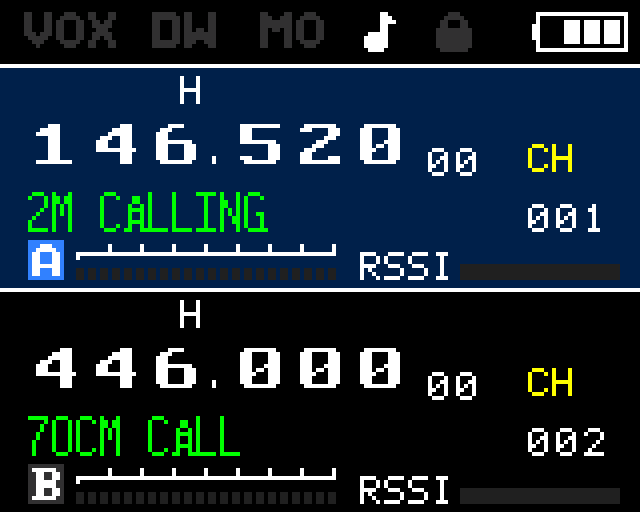
Display
Understanding the Display
Display Specs
The RT-900 uses a 160×128 pixel color TFT panel driven by the ST7735S controller, rendering in 16-bit RGB565 color. This is a significant upgrade over the UV-K5's monochrome 128×64 LCD — the RT-900 can display colored icons, colored RSSI and TX power bars, and a much more information-rich layout.
| Spec | RT-900 | UV-K5 |
|---|---|---|
| Screen size | 1.77 inches | ~1.3 inches |
| Resolution | 160×128 px | 128×64 px |
| Color | 16-bit RGB565 (65k colors) | Monochrome |
| Controller | ST7735S | ST75256 / custom |
| Orientation | Portrait | Landscape |
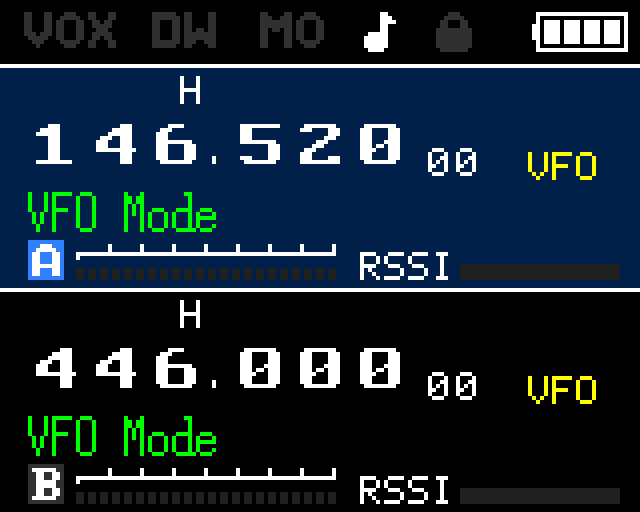
Screen Layout
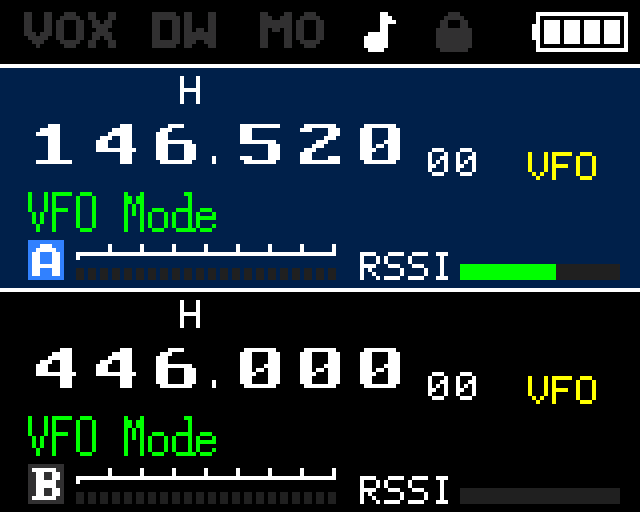
The 160×128 display is divided into fixed pixel zones. Understanding these zones helps when reading firmware source or customizing the display.
| Zone | Y Range | Contents |
|---|---|---|
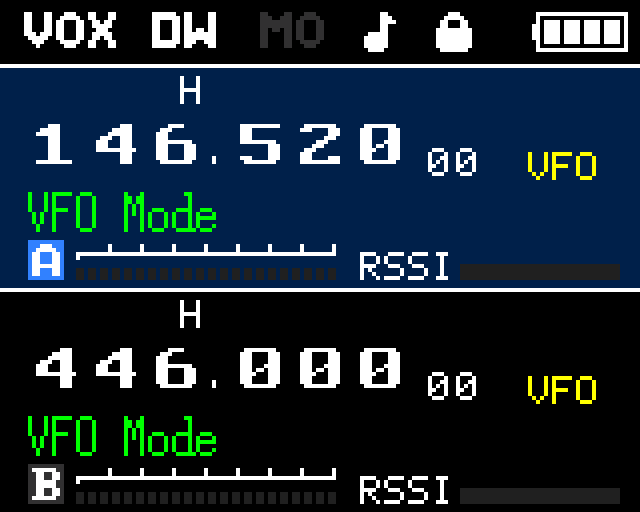
| Status bar | y: 0–16 | VOX (x:6), DUAL (x:38), MONI (x:65), SK TONE (x:91), LOCK (x:109), battery level (right edge) |
| Channel A | y: 17–71 | Frequency in large font, indicators row (power, narrow/wide, shift dir, reverse, AM, CTCSS/DCS, scramble), TX power bar (8 segments), RSSI bar, channel number |
| Divider line | y: 72 | Single horizontal separator line |
| Channel B | y: 73–128 | Same layout as Channel A |
Indicator Icons
Each channel area displays a row of status icons between the frequency and the power/RSSI bars.
| Icon | Values | Meaning |
|---|---|---|
| Power | H / M / L | TX power level: High, Medium, or Low |
| Bandwidth | N (narrow) | Narrow mode (12.5 kHz). Wide is blank. |
| Shift direction | + / − | Repeater offset: positive or negative. Blank = simplex. |
| Reverse | R | Frequency reverse active — listening on the TX frequency. |
| AM | A | AM demodulation mode is active. |
| CTCSS/DCS | CT / DC | CTCSS tone or DCS code is configured on this channel. |
| Scramble | SC | Voice scrambler is enabled on this channel. |
TX Power Bar
An 8-segment bar below the indicator icons shows TX power level with color coding:
| Color | Power Level |
|---|---|
| Blue | High power |
| Green | Medium power |
| Red | Low power |
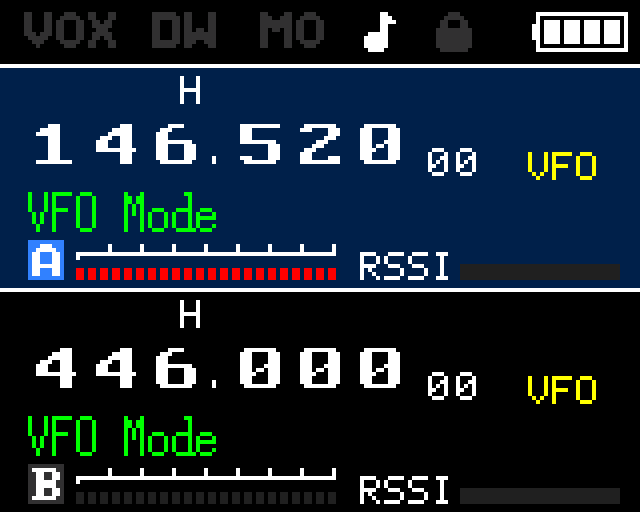
Signal Strength (RSSI)
A 10-level RSSI bar 40 pixels wide is rendered below the TX power bar in each channel area. The bar uses a blue fill on a gray background and updates continuously — even when squelch is closed — giving a real-time indication of signal activity on the frequency.
Display Modes
Menu items 37 (MDF-A) and 38 (MDF-B) control what is shown in the channel A and channel B frequency areas respectively.
| Setting | What is displayed |
|---|---|
| Channel name only | The stored 12-character name (e.g., W7XYZ-R) |
| Frequency only | The raw frequency in MHz (e.g., 146.520) |
| Channel number | The channel slot number (e.g., 042) |
| Name + frequency | Channel name on top line, frequency on second line |