Getting Started
Getting Started with the RT-900
Powering On
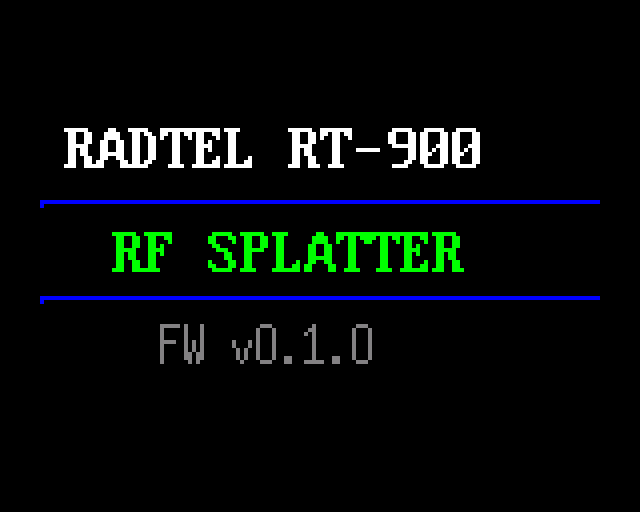
Rotate the top-left power/volume knob clockwise to turn the radio on (it clicks at the on position). A splash screen is displayed while the radio initializes. The splash screen behavior is configurable via menu 32: POWER ON TYPE — choose between a logo or a custom message.
An optional power-on password can be enabled via menu 35. When set, you must enter the correct code before the radio becomes operational.
The radio has two knobs on top. The left knob is the power/volume control — rotate clockwise past the click to power on, then continue rotating to increase volume. Rotate counter-clockwise to decrease volume and click off to power down. The right knob is the channel/frequency selector — it tunes frequencies in VFO mode and selects channels in channel mode.
The Display
The RT-900 features a color TFT screen showing two independent VFO channels — VFO A (upper) and VFO B (lower). A status bar runs along the top edge displaying battery level, VOX status, dual-watch indicator, and keypad lock state.
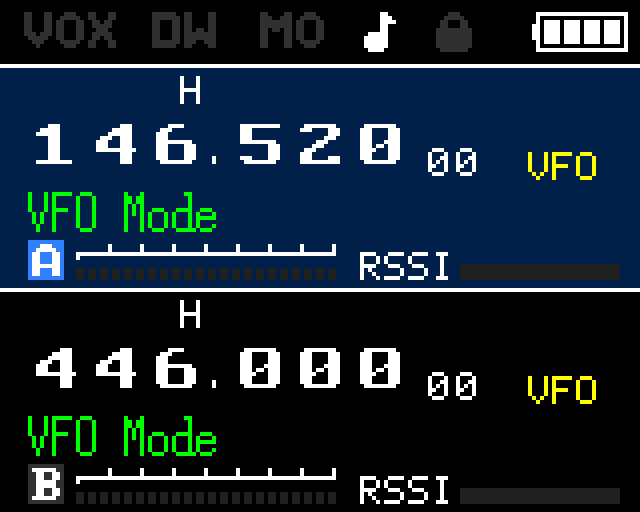
For a complete breakdown of every pixel zone, icon, and indicator on the screen, see the Display Guide.
VFO vs Channel Mode
The VM key toggles between the two operating modes:
- VFO Mode — Enter frequencies directly with the numeric keypad or tune with the top-right channel/frequency knob. Changes are live and temporary. Tune freely across any frequency in the supported range.
- Channel Mode — Recall stored channels from up to 256 memory slots (firmware supports up to 999). Use the top-right knob or UP/DOWN keys to step through channels. All channel settings (frequency, tones, power, bandwidth) load from the stored channel.
The AB key switches focus between VFO A and VFO B. The active VFO responds to tuning, scanning, and PTT actions.
Basic Operation
- Receive (RX) — The radio monitors the active frequency automatically. When a signal opens the squelch, audio plays through the speaker.
- Transmit (TX) — Hold
PTTto transmit. Release to return to receive. The TX power bar on the display lights up during transmission. - Monitor — Use the
MONIfunction to temporarily open the squelch, allowing you to hear signals that would otherwise be filtered out.
Band Selection
The BAND key cycles through the available frequency bands. The RT-900 supports a wide range:
| Mode | Range |
|---|---|
| TX (transmit) | 136–260 MHz and 330–520 MHz |
| RX (extended receive) | 18–999 MHz |
Volume & Squelch
- Volume — Controlled by the top-left power/volume knob. Rotate clockwise to increase, counter-clockwise to decrease.
- Squelch — Configured via
menu 21. Range is 0–10. Level 0 is open squelch (all signals pass). Higher values require a stronger signal to open the squelch. Level 5 is a reasonable starting point.
Frequency Entry
In VFO mode, press the numeric keys to enter a frequency directly. The display updates as you type.
- Example: press
1 4 6 5 2 0to go to 146.520 MHz. - Confirm with
MENUor wait for auto-accept after the last digit. - Frequencies outside the supported range will be rejected. The step size for arrow-key tuning is set via
menu 42(Freq Step).